Chat (Coding Assistant)
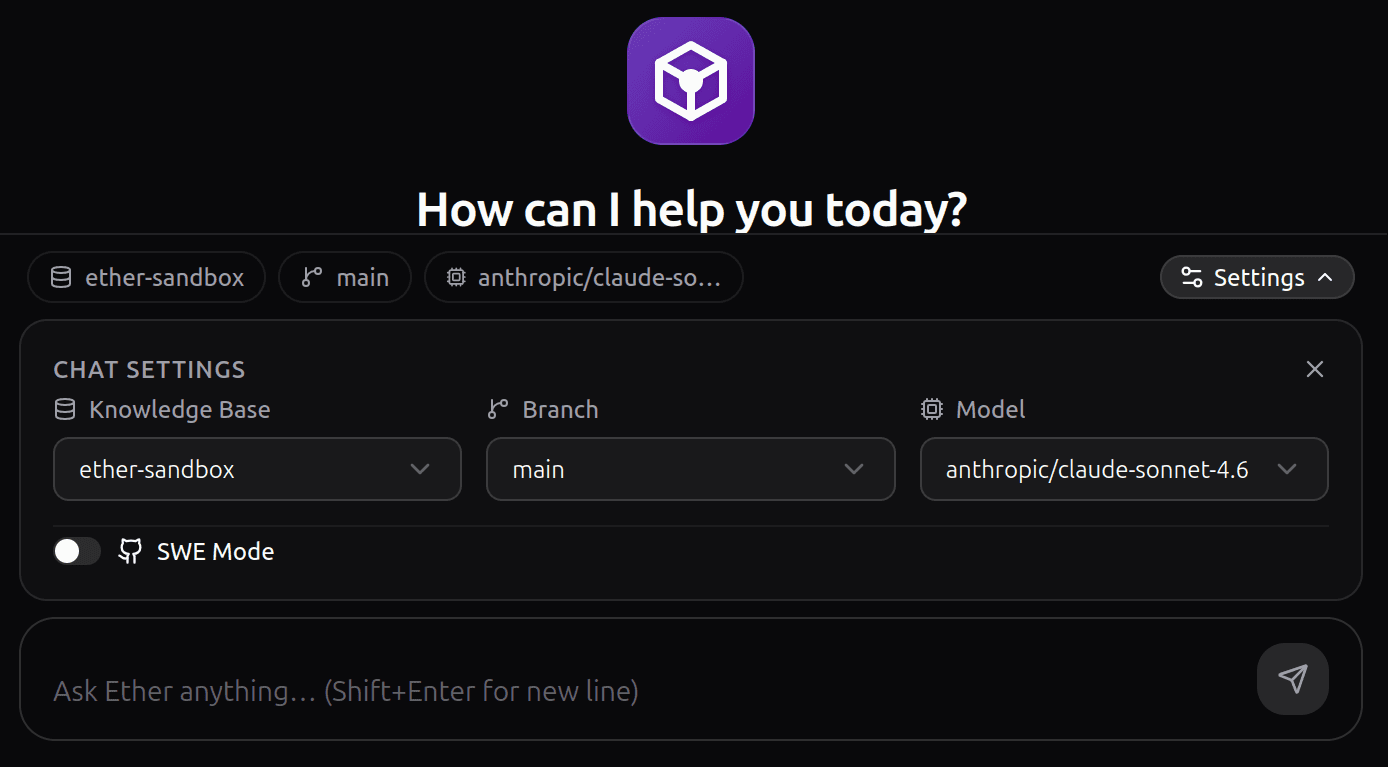
Now that Ether has full context of your projects through your Knowledge Base, you can instruct it to actively work for you. Ask questions, request code generation, or let it handle real development tasks autonomously.
Code Refinement and Exploration
When working with projects connected to your selected Knowledge Base, you can use the chat to seamlessly explore and refine your ideas. For example, you can:
- Refine a new Jira task.
- Request information about a specific module, component, or architecture in the project that you are unfamiliar with.
- Ask Ether to generate code snippets directly in the chat.
Note: While having Ether print code directly in the chat is helpful, we have a much more powerful way to handle actual development work in the next step.
Enabling SWE Mode for Real Development
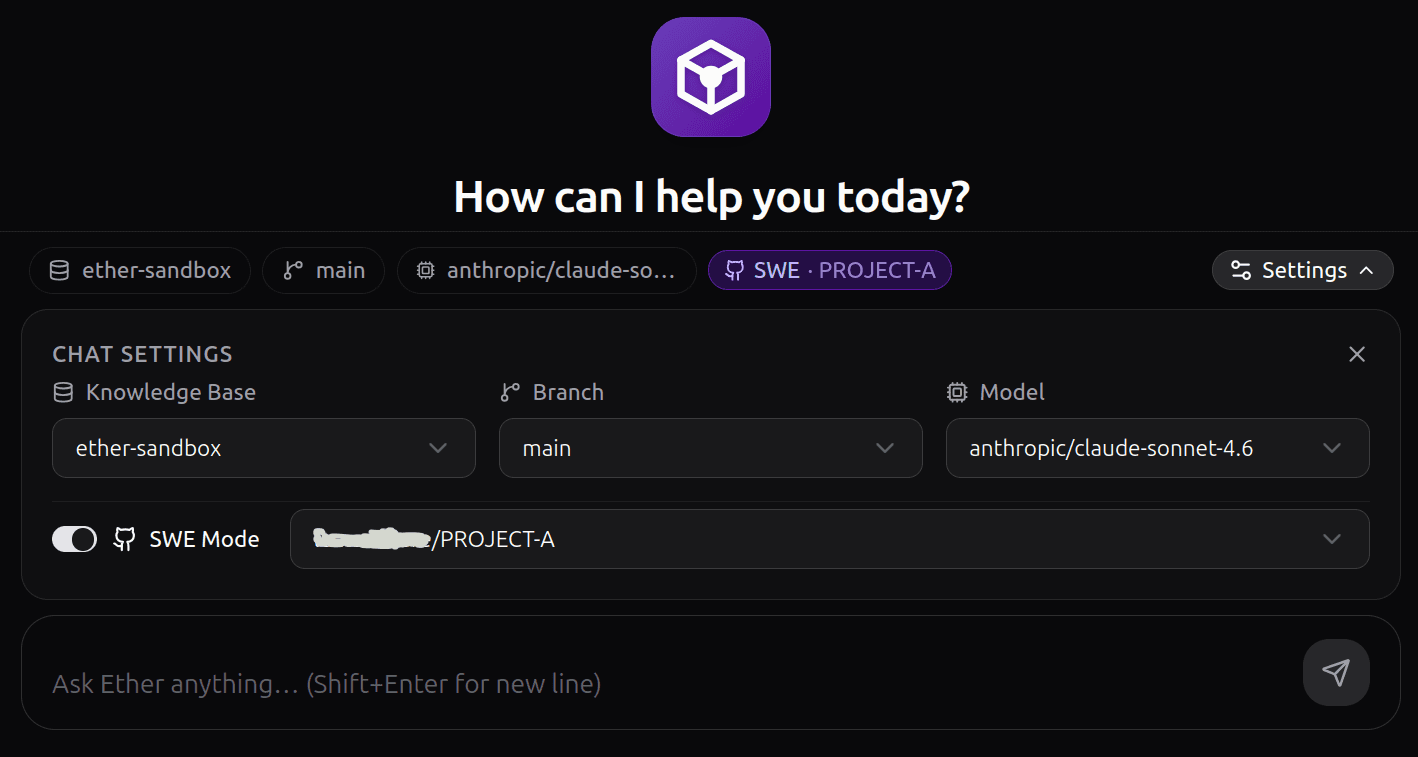
This is where things get interesting. If you want Ether to perform actual development tasks, open the Chat Settings and enable SWE Mode. Select the primary project where the development should occur. If your request spans multiple related projects, you can simply mention them in your prompt.
- Paste a stack trace and ask Ether to fix a bug, or request a complete feature like: "Create a new Client CRUD, including the frontend pages in project-a-frontend."
- Leverage SDDs (Software Design Documents) and custom Skills to precisely guide the agent.
- Instruct Ether to create new Skills for you, helping the models master specific, well-defined workflows within your project.
Long story short: the sky is the limit. Simply tell Ether what to do, and it will get the job done. The agent will automatically switch your chat context from the main branch to a newly created branch for this specific task. If the result isn't perfect, you can paste errors or feedback back into the chat, and Ether will continue iterating on the exact same branch until you are satisfied.
Reviewing the Pull Request
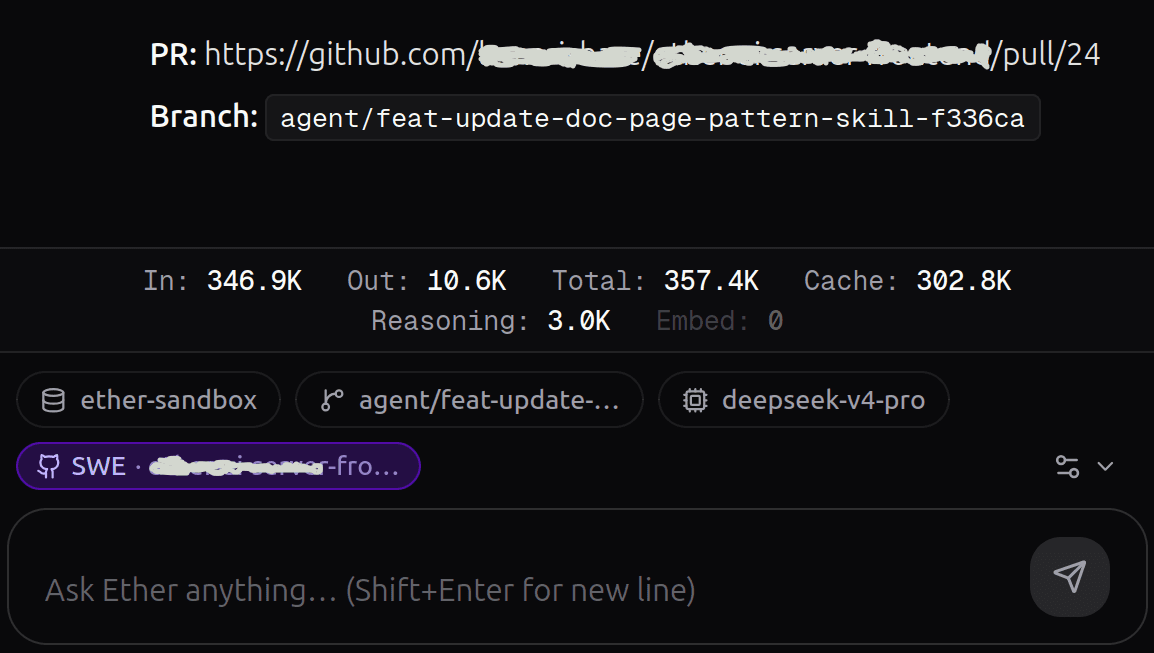
Once the development task is complete, Ether will generate a Pull Request link and provide the exact branch name it created. It will also display detailed telemetry, including how many tokens were consumed during the development process. You can then review the code, pull the branch locally, and verify that the new development is working exactly as expected.