Providers
Learn how to configure AI providers in a multi-user Ether deployment, including shared and per-user API key management.
Managing Default Providers
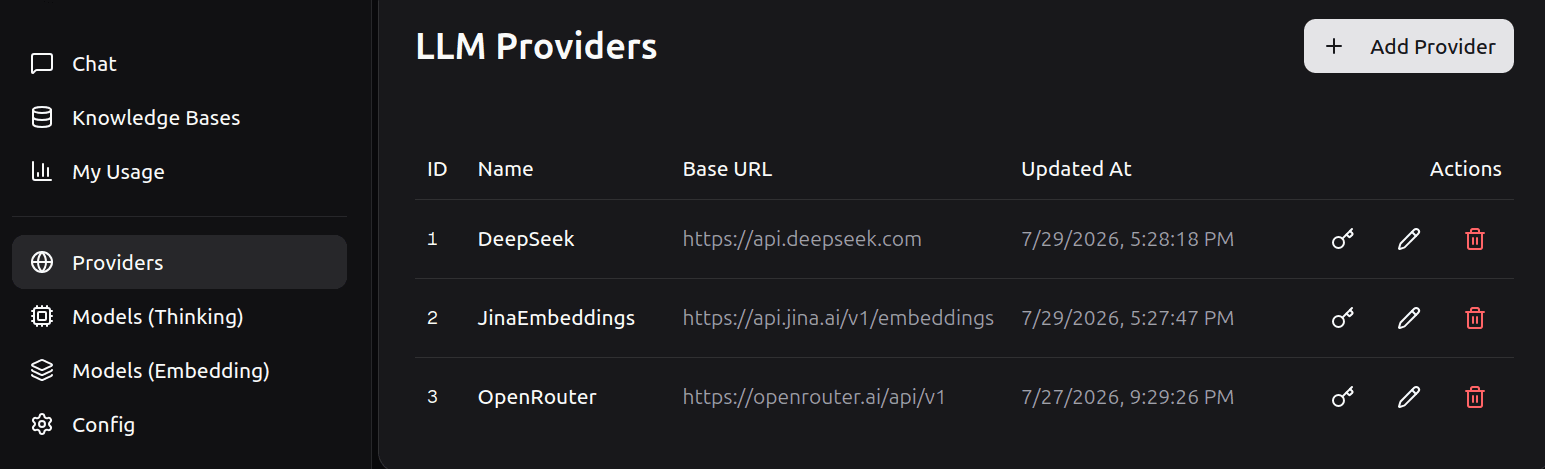
The pre-configured providers shown below are included for your convenience. If you do not plan to use any of them, you can safely delete them. Otherwise, you will need to supply their respective API KEY before they become operational.
We recommend keeping Jina AI as your provider for embedding models, though you are free to choose any provider you prefer. You can get a free Jina API key without registering at Jina's website.
If you are unfamiliar with OpenRouter, it acts as a universal hub for AI. While it is listed as a single provider in our system, it actually gives you access to hundreds of models from different companies (such as OpenAI, Anthropic, and Google) using just one API key. You can create an account and get your key atOpenRouter's website.
DeepSeek The recent DeepSeek V4 Pro offers exceptional performance and cost-efficiency. Get your API key at the DeepSeek's platform.
To integrate a custom provider of your choice, click the Add Provider button.
Adding a New Provider
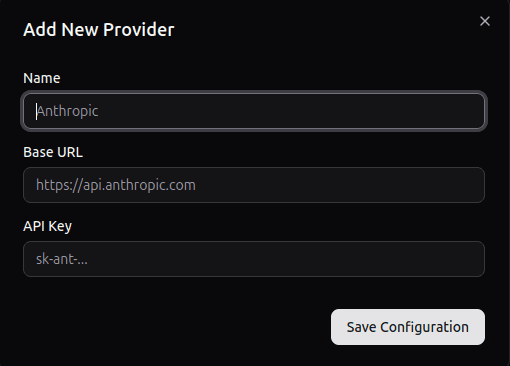
To create a custom provider, click the Add Provider button, then fill in the required fields: the provider's Name, Base URL, and API Key in the modal dialog.
Using the pre-configured providers
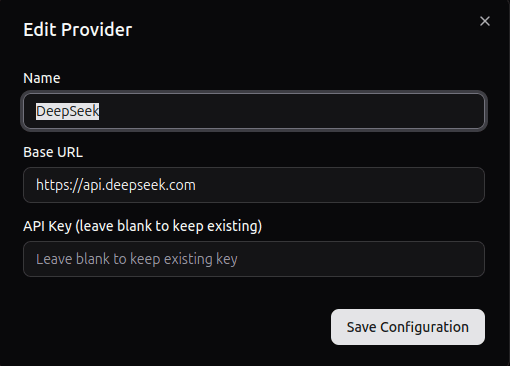
To use any of the pre-configured providers, click the edit icon on the desired provider, enter your own API key and click Save Configuration